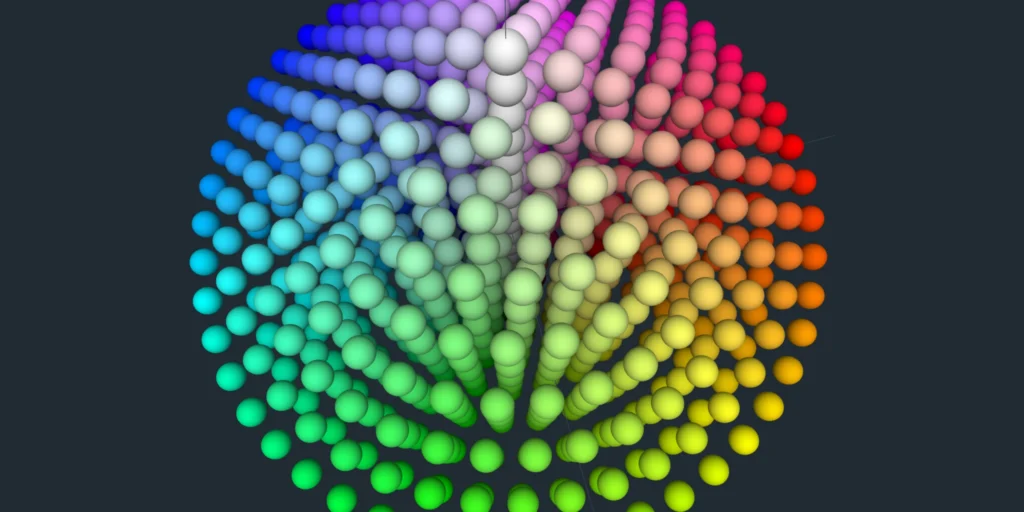
The CLC (Chroma–Luma Cone) Color Space is a geometric, RGB-derived model designed to make color visualization more intuitive. Unlike traditional 2D representations like HSV or HSL, CLC maps colors into a 3D double-cone structure, allowing you to explore relationships between hue, chroma, and brightness in a visually meaningful way.
How CLC Works
1. Inputs
CLC starts with standard RGB colors, with each channel ranging from 0 to 255. These values are converted to HSV for easier manipulation:
- H — Hue angle (0–360°)
- S — Saturation (0–100)
- V — Value/Brightness (0–100)
2. Geometry
The CLC model arranges colors in a double-cone around a central neutral axis:
- Horizontal position (x, z) — determined by the color’s chroma radius, which increases with saturation and brightness.
- Vertical position (y) — represents brightness adjusted by chroma for perceptual neutrality.
This creates two cones: the upper cone for bright colors, the lower cone for dark colors, with neutral grays forming a smooth central axis.
3. Structure
The resulting 3D structure is:
- A symmetric, centered double-cone
- Circular hue wheel around the vertical axis
- Chromatic colors radiating outward
- Neutral colors aligned along the center
This design allows CLC to effectively visualize:
- Color distances and differences
- Brightness and chroma relationships
- Large RGB datasets and palettes
- Palette clustering and analysis
Why CLC is Useful
By translating RGB values into a spatial, 3D representation, CLC makes it easier to understand:
- Which colors are perceptually similar
- How brightness and saturation interact
- The overall distribution of a color palette
It’s an intuitive alternative to standard color spaces and provides a clear, structured view of complex color relationships.
Explore CLC Yourself
You can interact with a live 3D model of CLC colors here: 3D Color Wheel
Double-click any sphere to see detailed information about the color it represents. Switch between CLC, RGB, HSV, and HSL modes to explore different perspectives of your color data.